
Atlassian ICYMI April & May 2025
It has been a while! Of which I can only apologise for. I write these blogs as a passion for my work and spreading knowledge within the Atlassian ecosystem. Between work and an incredibly busy home life over the last month or so doing a follow up for the last couple months, being able to get a chance to review and write has been Difficult. But we are back and doing an April, May ICYMI. So enough of this and let’s dive in!

Highlights
Since my last update from Team 25 in Anaheim at the beginning of April, it has been non stop in the Atlassian ecosystem. The changes to Rovo have been rolling out and I am very excited to see that come to my own instance.
The new UI is taking full affect. Great improvements in some areas around Confluence, with more teething challenges in parts of Jira. We have even seen the Workday and other automation improvements roll out. But what is next? Let’s take a look at some of the more recent announcements regarding product updates.
Automation rules can now work with Salesforce objects with both fetching and editing Salesforce data.
JSM has stakeholder email templates added into the mix, giving you better, more granular control.
Atlassian Guard sees some amazing updates including;
You can now create service accounts
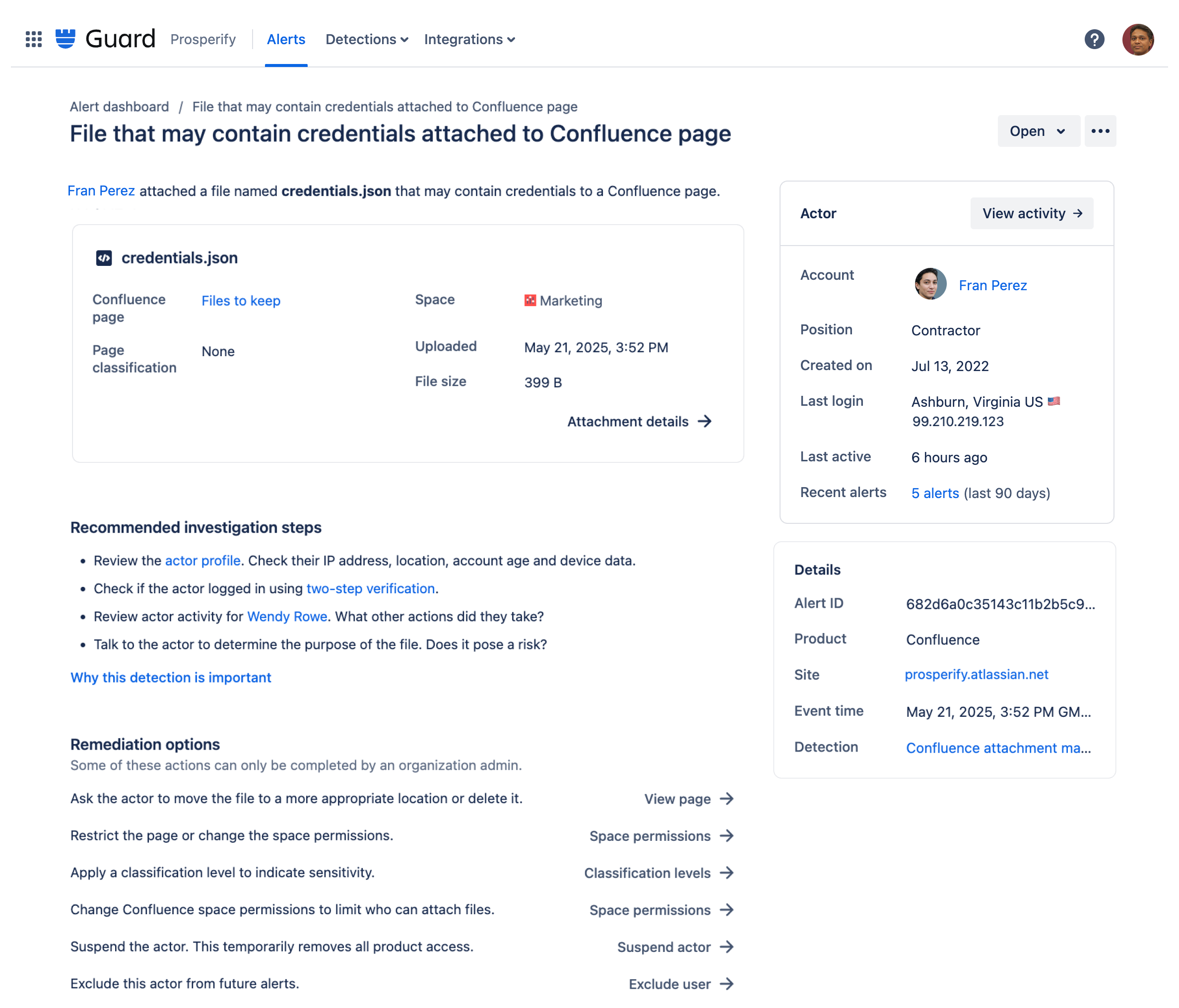
Receive alerts whenever specific attachments are viewed in excess or someone tries to upload specific attachment types.
Let’s get into it all properly!
Jira
“Starting June, you will now only be able to ‘@’ mention active users within descriptions or comments.”
Yes, deactivated users will no longer be able to be mentioned anywhere on work items. While this is such a simple improvement, I personally have suffered from accidently mentioning old accounts. Having cleaner simpler lists will certainly improve my experience & I imagine everyone else’s.
Automation has seen some huge bumps over the last couple of months. Let’s dive in to all of the updates:
When you have an existing work item open and you need to attach forms to it to gather further information, you can now add values directly to form fields meaning your data is cleaner and more accurate.
“Select the Attach forms with values action in Automation and choose which fields you wish to assign values. These can either be smart values, or predefined values such as choices.”
Native automation now has another third party link to add to its quiver. You can now work with Salesforce objects within automations and your work items. The list of actions are to both get information and push information to Salesforce:
Create sales case in Salesforce
Create sales opportunity in Salesforce
Get sales opportunity stages from Salesforce
Get top sales opportunities from Salesforce
Get sales opportunity from Salesforce
Update sales opportunity in Salesforce
To see the full list and examples on where to use these actions, please visit the Atlassian documentation.
Starting its rollout through June. If you have connected Rovo to the likes of GDrive, SharePoint etc. You can now add knowledge base links from your third party knowledge directly to your JSM requests.
“To make it easier for service teams to use knowledge in external products to resolve and deflect requests, it’s now possible to link folders in Google Drive and Microsoft SharePoint to your service project. After you’ve linked folders, people can access documents from linked folders within the work item view, portals, and help centers after authenticating their account.”
There are however some pre-requisites in order to get this to work. Firstly, you must activate Rovo & Atlassian Intelligence within your Cloud platform. Secondly, you must have integrated Rovo with the third party application. Following these two steps, you are free to link folders full of knowledge to your service knowledge base. For further information on how this all works, please visit the Atlassian documentation.
Jira Service Management
JSM has seen so many great improvements over the last couple of months so I will rattle through the big ones quickly.
Atlassian for the last couple of years has doubled down on removing context switching and barriers to information. The philosophy is that, no matter where you work, you should be able to perform any action required. So sticking to that belief,. you can now connect and manage all of your on-call schedules directly from within Slack using the /jsmops commands.
To link a schedule to your team's Slack channel;
Run the command /jsmops oncall on the channel and click Connect schedule.
Alternatively, you can run the command /jsmops connect schedule to start connecting the schedule.
While connecting the on-call schedule to Slack, you can also set up an alias like !Hello that can be used to tag or @mention the current on-call member in a message allowing for a simple rememberable shortcut to always get the right person into the conversation as quickly as possible.
Incidents are bound to happen. Just like change, they are inevitable. However, managing them in a smarter way isn’t. Atlassian just announced the ability to create and manage email templates for specific stakeholder notifications.
Premium and enterprise customers can now create specific custom stakeholder comms to go out as part of email updates when certain actions happen.
This will allow complete better standardised communication plan during those high stress situations and no need to re draft new emails every time.
For more information, make sure you check out the Atlassian documentation.
Towards the end of May. Atlassian started to roll out the ability for your JSM help centres to have customisable landing pages. While this does sound like the multi help centre functionality, it is different. Premium & Enterprise customers can create additional landing pages for the help centres. Imagine creating almost like a webpage before you get to the help centre. You have the ability to add images, videos, links, and visual rich content to help users get around. They are standalone but can be customised with rich content, images, videos, links and more.
For more information, check out the Atlassian documentation.
Confluence
Confluence databases have seen some additional love over the last couple months. Just one of those changes is now the ability to display your number cells in more ways including % or currency. This may seem like a very simple addition, but having more ways to format and present your structure data the better.
You can now create Jira work items from Confluence WITHOUT having to publish the page. Yes you heard me, when you are using either Live docs OR standard pages, you can now create Jira work items without the need to save. This small improvement enables users to reduce context switching and streamline processes. Simply highlight the text like normal, and the option to create Jira items will appear.
Platform
Service accounts have come to Atlassian. As a way of helping manage ‘permanent’ access to your applications, we no longer need to create sudo user accounts. Underneath Atlassian Guard, you can now create service accounts. Once created, you’ll be able to create API or OAuth tokens directly from Guard to handle any integration for your business.
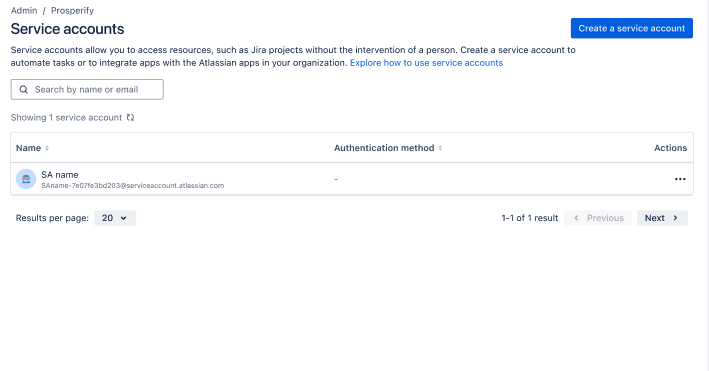
While this still does not have a timeline for release as of yet, it is extremely exciting to see we are heading in this direction. I remember some of the very first calls with Atlassian on this topic over a year ago.
Guard premium customers can now use Guard detect to be alerted when suspicious attachments within Confluence or Jira are uploaded.
We send an alert when a user uploads a file that is executable (such as a bat or exe file), or uploads a file with a name and file type that’s more likely to contain credentials (for example a keystore or config file).
Guard detect also got the ability to send alerts when user downloads or previews a high number of attachments within a perioud of time. This is only available currently for Confluence attachments.
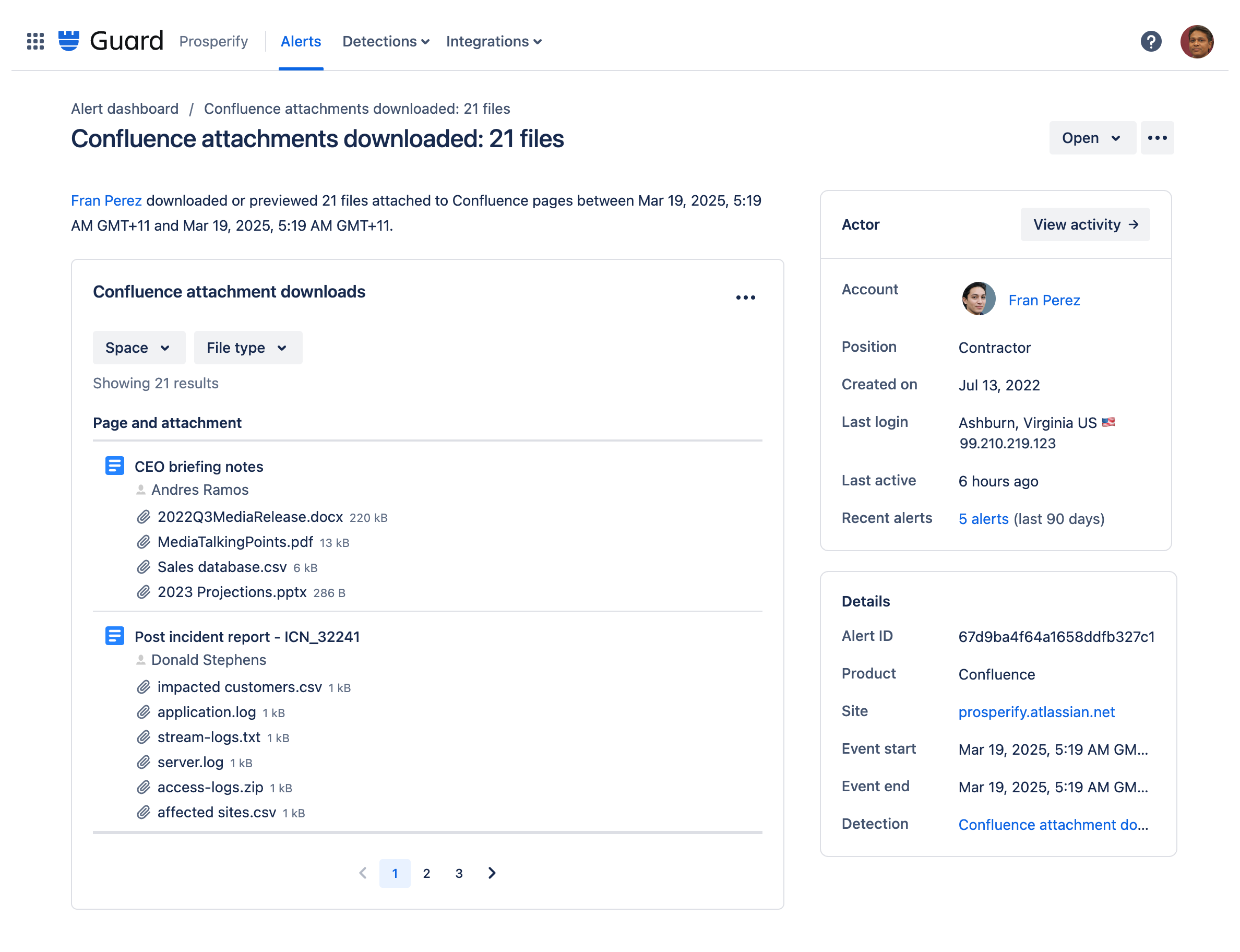
Both of these latest updates to Guard show the dedication from Atlassian to help keep your data safe………
Until next time. What was your favourite update?